How to Convert TikTok to MP3 for Your Own Posts (2026)
TikTok posts sometimes include an audio file that is useful on its own: your own voiceover, a recording you created, or audio you are licensed to edit. SaveKit can show the audio file made available with a supported public post, without asking for a TikTok login.
This guide is for content you own or are authorized to use. Public availability is not the same as permission to copy, publish, or reuse someone else’s work.
What SaveKit returns
The route is commonly described as a TikTok MP3 downloader because that is how people search for this kind of tool. The actual file format depends on the source. TikTok commonly makes AAC audio available in an M4A container; other results may use a different format.
SaveKit lists the available file and format on the result card. It does not promise to turn every post into an MP3, improve the bitrate, separate background music from speech, or remove creator attribution.
When this workflow is appropriate
Common authorized uses include:
- keeping a local copy of a voiceover or recording you created;
- moving your own audio into an editing project;
- downloading a client’s public post when the client has asked you to work on it;
- archiving audio released under a licence that permits downloading and reuse.
If the post belongs to someone else, check the creator’s permission and any licence terms before saving or reusing the audio. Personal or non-commercial use does not automatically override copyright or a platform’s terms.
How to save available TikTok audio
1. Copy the public post link
Open the TikTok post you are authorized to use. Tap Share, then Copy link. The post must be publicly accessible; SaveKit cannot open private or friends-only content.
2. Check the link with SaveKit
Open the TikTok Audio Downloader, paste the link, and select Download. SaveKit processes the public URL and shows the media files that the source makes available.
3. Review the result before downloading
Find the card labelled Audio and check the displayed format. Choose Download only if the result is the file you need and you have the right to save it.
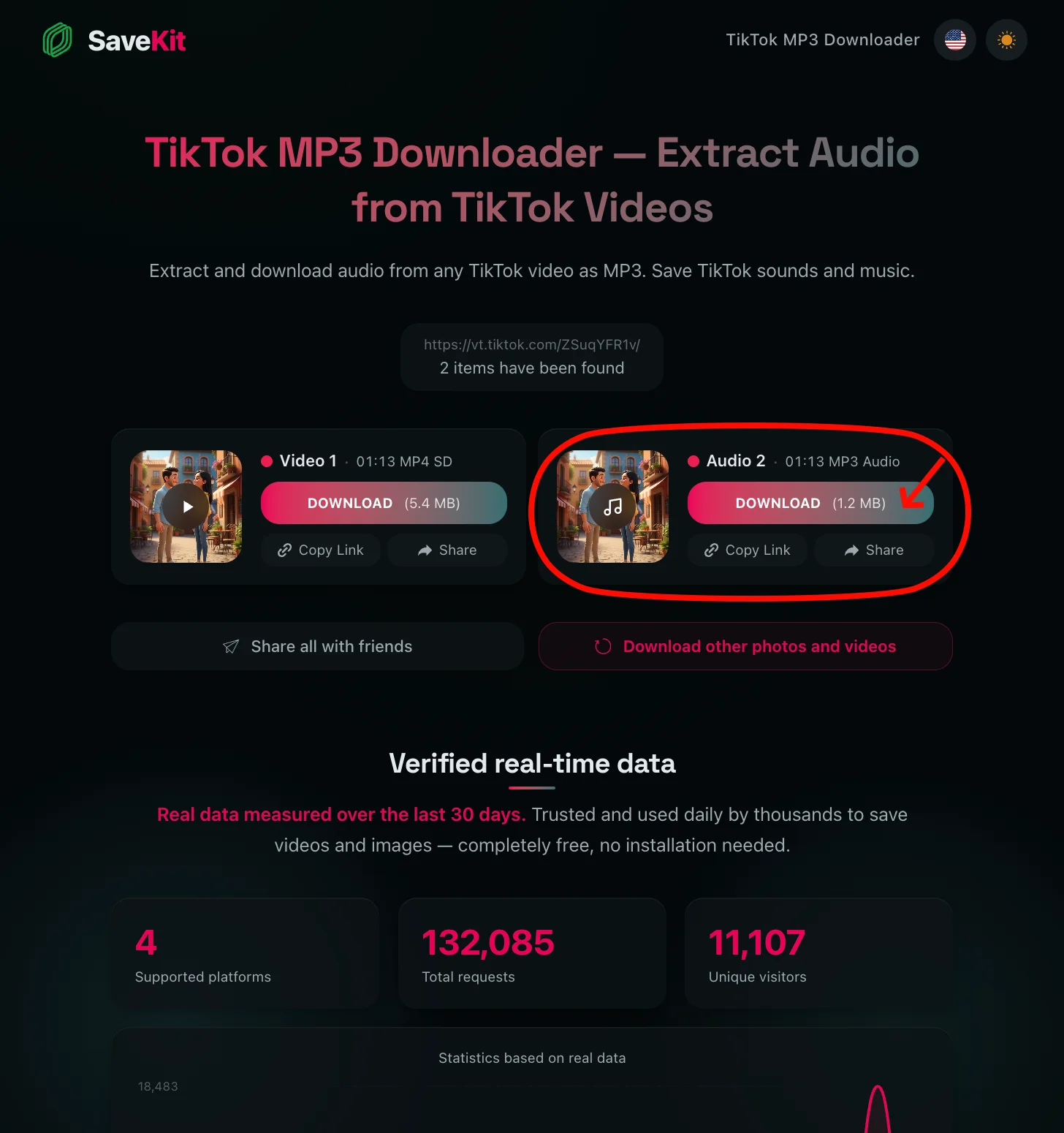
The downloaded file is the available source audio. SaveKit does not isolate a song, voice, or sound effect from a mixed track.
Where the file is saved
- iPhone or iPad: Safari usually places the file in Downloads inside the Files app.
- Android: Check the Downloads folder in Files or your device’s file manager.
- Windows, macOS, Linux, or Chromebook: The browser uses its configured download folder.
If a browser opens the file instead of saving it, use the alternate download link on the result card and the browser’s own save control.
Format and quality limits
Audio quality cannot exceed the file provided by the source. SaveKit does not upscale audio or guarantee a fixed bitrate. Re-encoding an already compressed track can reduce quality, so keeping the available source format is often the better choice.
Most current phones, browsers, and editors can open AAC/M4A. If your editing software requires another format, use a trusted local converter after checking that your licence permits the intended use.
Access and rights limits
SaveKit works with supported public posts. It does not bypass TikTok authentication, private-account settings, subscriptions, DRM, or other access controls. It also does not grant a licence to material returned by the source.
For the complete permitted-use rules, read the Terms of Service. Creators and rights holders can contact SaveKit through the DMCA page.
Frequently asked questions
How do I save audio from my own TikTok post?
Copy the link to the public post, paste it into the TikTok Audio Downloader, and choose the available audio result. The result card shows the format before download.
Does SaveKit always convert TikTok audio to MP3?
No. SaveKit returns the audio file made available for the post. It is commonly AAC/M4A, but the exact format can vary.
Can SaveKit access private TikTok posts?
No. Private and friends-only posts require access that SaveKit does not have. The service does not ask for login credentials or bypass privacy controls.
Can I reuse another creator’s audio?
Only when you have permission, a licence, or another legal basis for that use. A post being public does not by itself grant reuse rights.
Related TikTok tools
To save the available video version of an authorized public post, use the TikTok Video Downloader. The same public-only and permission requirements apply.